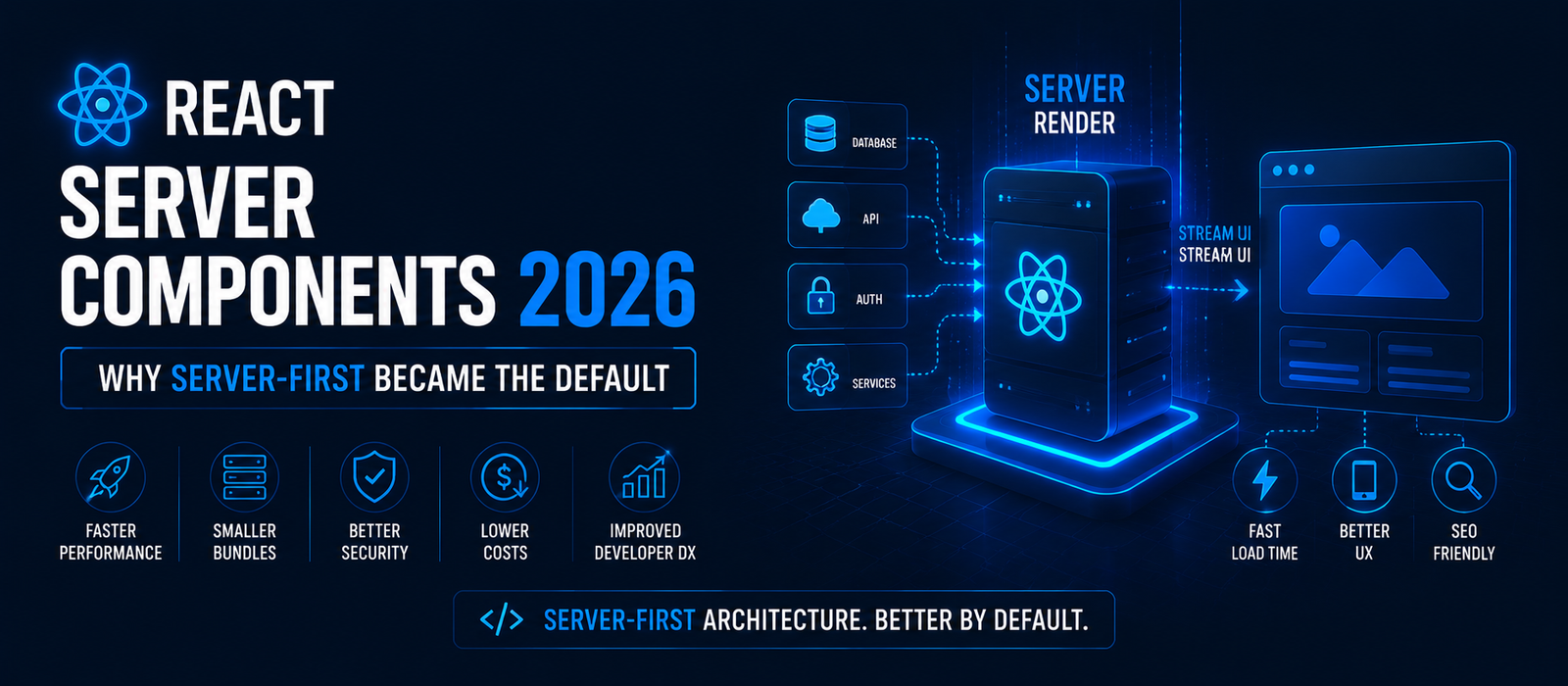
Client-heavy React apps got too slow and too expensive to ship. React Server Components 2026 are now the default build target across major meta-frameworks because they cut JavaScript bundles, speed up Core Web Vitals, and lower hosting cost per page. If your stack is still client-first, you're paying a tax competitors aren't.
Your homepage ships 800KB of JavaScript just to render a headline. A user on a mid-range phone waits three seconds before anything is clickable. That's not a UX problem — that's a revenue leak, and in 2026 it's also a competitive one, because React Server Components 2026 adoption has made server-first architecture the industry baseline, not the exception.
1. What Changed: The Server-First Shift Explained
For nearly a decade, "modern React" meant client-side rendering (CSR): ship a JS bundle, hydrate it in the browser, render everything client-side. React Server Components (RSCs) flip that. Components render on the server by default, send finished HTML plus minimal JS to the browser, and only "client components" that need interactivity ship JavaScript at all.
Why This Took Until 2026
RSCs shipped experimentally with React 18 and stabilized further in React 19, but meta-framework tooling — Next.js App Router, Remix, and others — needed several release cycles to make server-first the *default* scaffold rather than an opt-in feature. By early 2026, that tooling matured enough that starting a new project client-first now requires deliberately opting out.
The Core Technical Win
- Zero-bundle-cost components for anything non-interactive (headers, footers, product descriptions, blog content)
- Data fetching moves server-side, cutting waterfall requests that used to happen after hydration
- Streaming rendering lets the browser paint content progressively instead of waiting for one giant JS payload
Pro Tip: Audit your current bundle with a tool like
next buildoutput or WebPageTest before you migrate anything. You need a baseline number to prove the win to stakeholders later.
2. The Business Case: Why Marketers and Founders Should Care
This isn't just a developer preference. Page speed is a ranking and conversion factor, and RSCs move the needle on both.
According to Google, sites that meet the recommended Core Web Vitals thresholds see 24% less user abandonment on page loads compared to sites that don't. Server-first architecture directly improves Largest Contentful Paint (LCP) and Interaction to Next Paint (INP) because there's simply less JavaScript blocking the main thread.
Real-World Example
An e-commerce team migrating a product catalog from a client-heavy SPA to a Next.js App Router build with RSCs typically sees the largest JS bundle reduction on catalog and PDP pages, since product data, images, and descriptions can render fully server-side with zero client JS shipped for that content — only the "Add to Cart" button and filters stay interactive.
Cost Implications
- Lower JS payload = lower CDN/bandwidth cost at scale
- Faster TTFB and LCP = fewer bounces on paid traffic, improving ROAS
- Server rendering centralizes data-fetching logic, reducing API call duplication across client and server
Pro Tip: If you run paid acquisition, treat your Core Web Vitals score as a line item in your CAC math. A slow landing page is a hidden ad-spend tax.
3. Client-First vs. Server-First: A Direct Comparison
| Factor | Client-First (Classic SPA) | Server-First (RSC / Meta-Framework) |
|---|---|---|
| Initial JS bundle | Large, ships full app logic | Minimal, only interactive components |
| SEO crawlability | Requires extra rendering config | Native — HTML is server-rendered |
| Time to Interactive | Slower on low-end devices | Faster, less to hydrate |
| Data fetching | Client-side, often waterfalled | Server-side, parallelized |
| Hosting cost at scale | Higher bandwidth/CDN cost | Lower, smaller payloads |
| Developer familiarity (pre-2024) | High | Requires new mental model |
Pro Tip: Drop this comparison table straight into a stakeholder deck as-is. The "SEO crawlability" and "hosting cost at scale" rows are usually what get budget approved faster than any technical argument on their own.
4. How to Migrate: A Step-by-Step Process
You don't need a full rewrite. Meta-frameworks support incremental adoption.
- Audit your current architecture — identify which components truly need client interactivity (forms, modals, dynamic filters) vs. static content
- Pick a meta-framework — Next.js App Router and Remix both support RSCs; choose based on existing team familiarity
- Convert leaf components first — start with low-risk, high-traffic pages like blog posts or product descriptions
- Mark interactive components explicitly — use the framework's client-component directive only where state or browser APIs are required
- Move data fetching server-side — eliminate redundant client-side
fetchcalls that duplicate server logic - Re-measure Core Web Vitals — compare against your baseline audit from Section 1
- Roll out incrementally — ship page-by-page, not all-at-once, to de-risk regressions
Common Migration Mistakes
- Marking entire pages as client components "to be safe" — this defeats the purpose
- Forgetting that server components can't use browser-only APIs or React hooks like
useState - Skipping the baseline performance audit, making it impossible to prove ROI afterward
Pro Tip: Don't start the migration on your highest-traffic page. Prove the pattern on something low-stakes first, get the team comfortable with the client/server component split, then move to pages where a regression would actually cost you.
5. Is Server-First Right for Every Team?
Not always immediately. Highly interactive apps — dashboards, real-time collaboration tools, design software — still lean heavier on client components by necessity. The 2026 default isn't "zero client JS everywhere," it's "server-render by default, opt into client JS only where interactivity demands it."
Quick Decision Framework
- Content-heavy site (blog, marketing pages, e-commerce catalog)? Server-first, high priority.
- App-like product (dashboards, editors)? Hybrid — server-first shell, client-heavy interactive zones.
- Real-time collaborative tool? Client-heavy remains necessary for core features, server-first still wins for surrounding UI.
Pro Tip: If you're unsure which bucket a page falls into, count how many
useState/useEffectcalls it has. Pages with none are server-first candidates today; pages full of them need the hybrid approach.
Key Takeaways
- React Server Components 2026 are the new default scaffold in Next.js, Remix, and other major meta-frameworks
- Server-first cuts JS bundle size, improves Core Web Vitals, and lowers hosting cost
- Migration can happen incrementally — audit, convert leaf components, measure, repeat
- Highly interactive apps still need client components; the shift is about defaults, not elimination
The teams still shipping client-heavy SPAs in 2026 aren't being cautious — they're accumulating technical debt while competitors ship faster pages, rank better, and convert more. Audit your bundle this week. Pick one high-traffic page. Migrate it. Measure the difference. That's how the shift happens — one page, one proof point at a time.
Quick Summary
React Server Components in 2026 are now the default scaffold in Next.js, Remix, and other major meta-frameworks, cutting client-side JS bundle size, improving Core Web Vitals, and lowering hosting cost by rendering more of the app on the server. Migration can happen incrementally — audit the app, convert leaf components first, measure, repeat — and highly interactive features still use client components, since the shift changes the default, not the option. Teams still shipping client-heavy SPAs aren't being cautious; they're accumulating technical debt while server-first competitors ship faster pages and rank better.